Introduction
OpenAI has released Codex Security, so I tried it out on one of my own repositories.
What stood out to me was that Codex Security does more than just find vulnerabilities. It naturally connects the flow from reviewing a finding to creating a fix PR, which makes it feel much easier to incorporate security checks into an AI development workflow.
The repository I tested was a Slack bot application I built myself. In this post, I will briefly explain what Codex Security is, walk through how I used it, and share what I found especially impressive.
What This Article Covers
- What OpenAI's Codex Security is
- What the actual scanning flow looks like in practice
- What felt especially good after trying it myself
1. What Is OpenAI's Codex Security?
Codex Security is a new OpenAI feature that can scan a connected GitHub repository for security issues, show the findings, suggest remediations, and even create a PR.
At the moment, it is available as a research preview, and you need to connect a GitHub repository and configure an environment in advance. Once you run a scan, you can review not only the overall repository results, but also detailed information for each finding, including what is wrong, how to fix it, and how it was validated.
What makes it interesting is that it does not stop at listing findings. It is designed so that you can move naturally from reviewing a finding to reviewing a fix and creating a PR.
References:
- OpenAI announcement: Codex Security now in research preview
- OpenAI Developers: Codex Security Overview
- OpenAI Developers: Codex Security Setup
2. How I Tried It
This time, I used Codex Security on a repository for my own Slack bot application. This bot is used to collect primary sources from information shared on Slack, then summarize them and convert them into audio.
The flow was quite easy to understand. From Codex, I opened Security, clicked New scan, and selected the target organization, repository, branch, and environment.
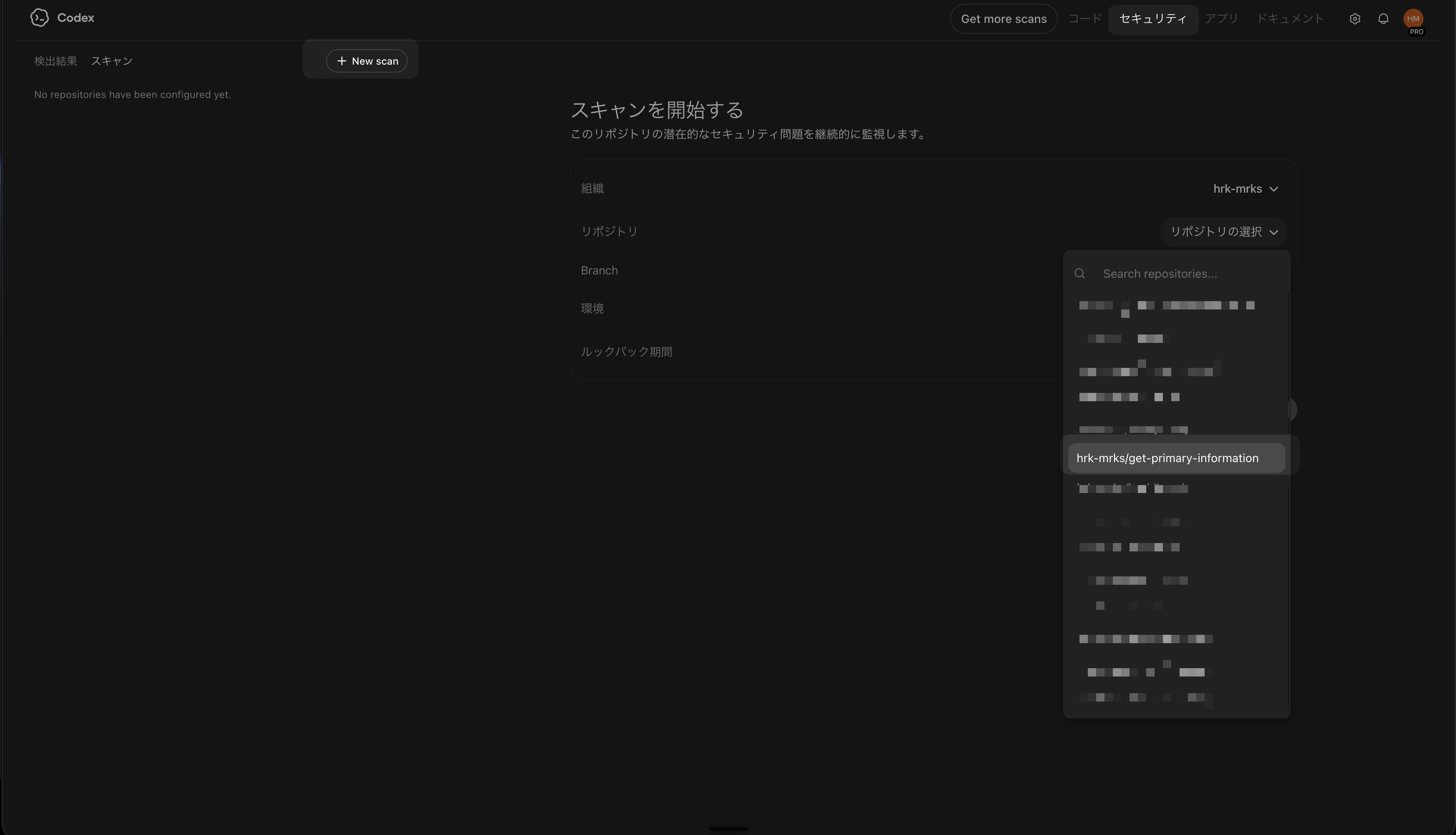
The initial scan took a bit of time. In my case, it took around 30 minutes to 1 hour, so it felt less like an instant check and more like something you come back to after waiting a while.
The scan screen also grouped together things like the Overview and threat model, which made it easy to understand how the repository was being evaluated before diving into individual findings. I thought that was a good design choice.
3. An Example of an Actual Finding
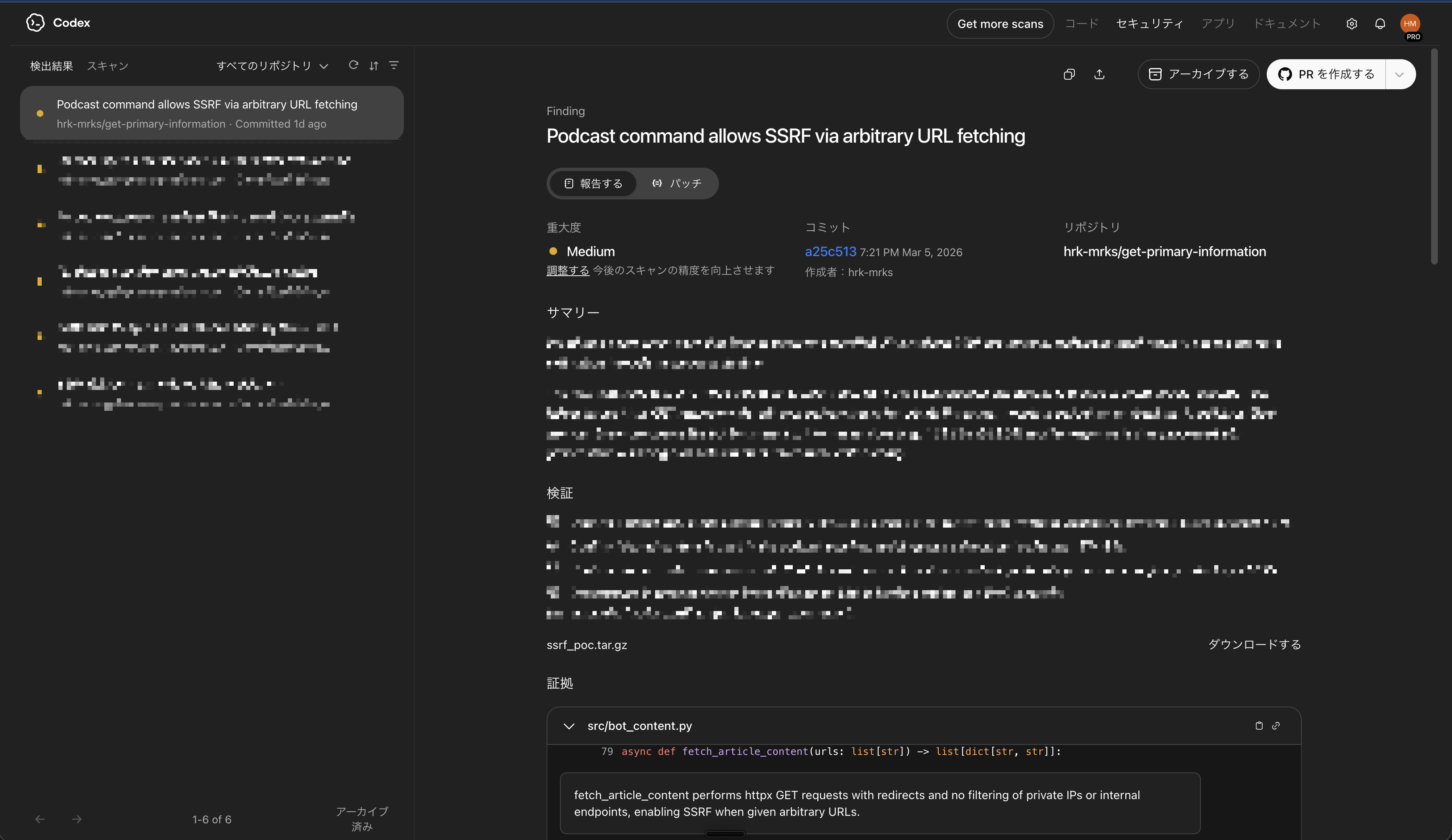
One of the findings Codex Security surfaced was an SSRF risk in logic that fetches arbitrary URLs received from Slack. SSRF, short for server-side request forgery, is a class of issue where an application can be tricked into accessing destinations it was never meant to reach.
In this bot, I use URLs from sources like X together with the LLM's web search, and if retrieval does not work well enough there, the app fetches the article content itself and injects it as context. That is a convenient feature, but if arbitrary URLs can be fetched without proper safeguards, a malicious URL could be used to access internal networks or metadata endpoints.
Codex Security explained this with a concrete attack scenario, rather than just saying that something was dangerous. I found the reasoning behind the finding clear and easy to follow.
It also suggested a remediation: block unsafe URLs, avoid following redirects automatically, and revalidate every redirect target before continuing. I especially liked how clear the finding was and how concrete the proposed fix was.
4. What I Liked Most: It Naturally Leads to a Fix PR
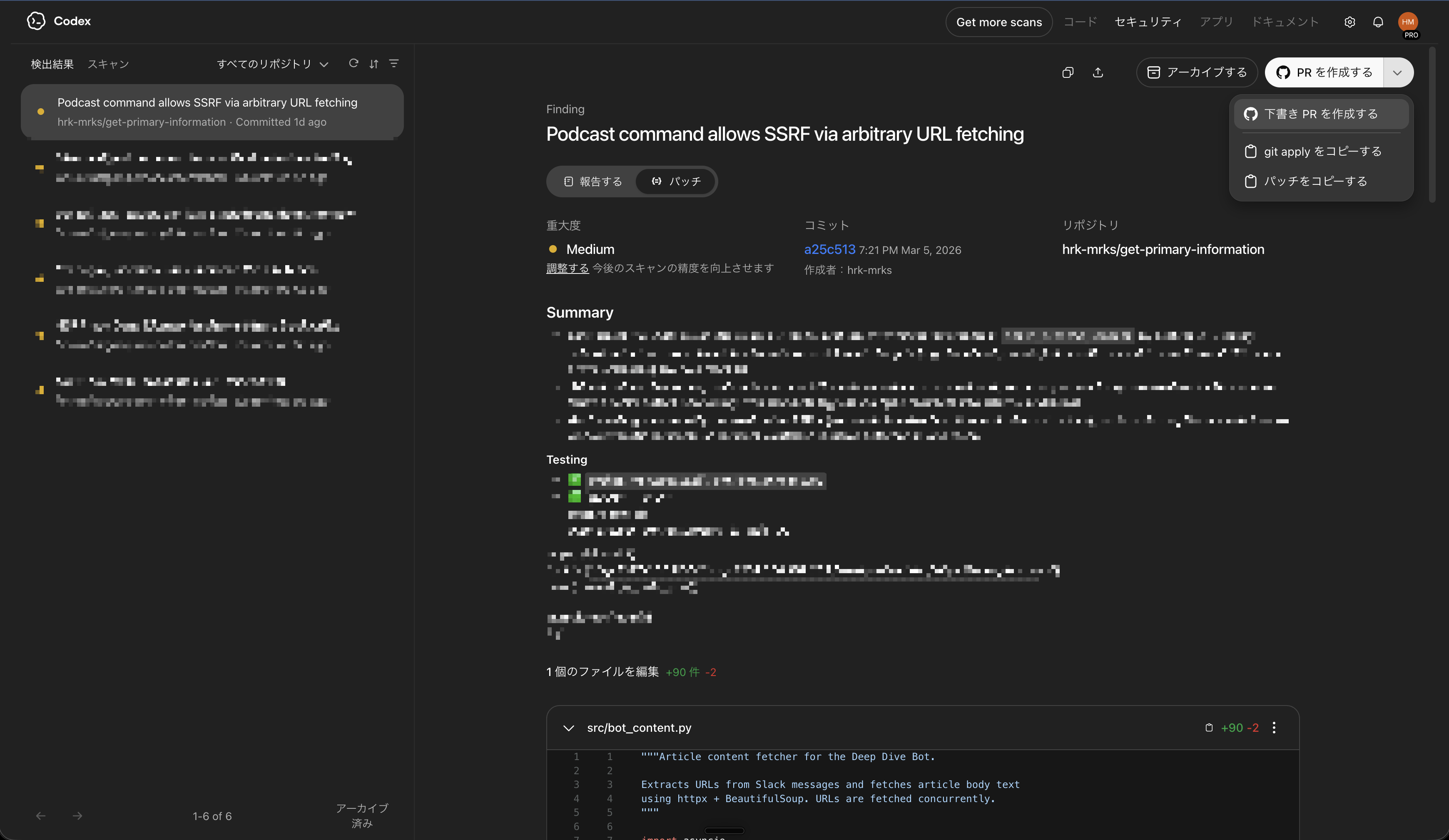
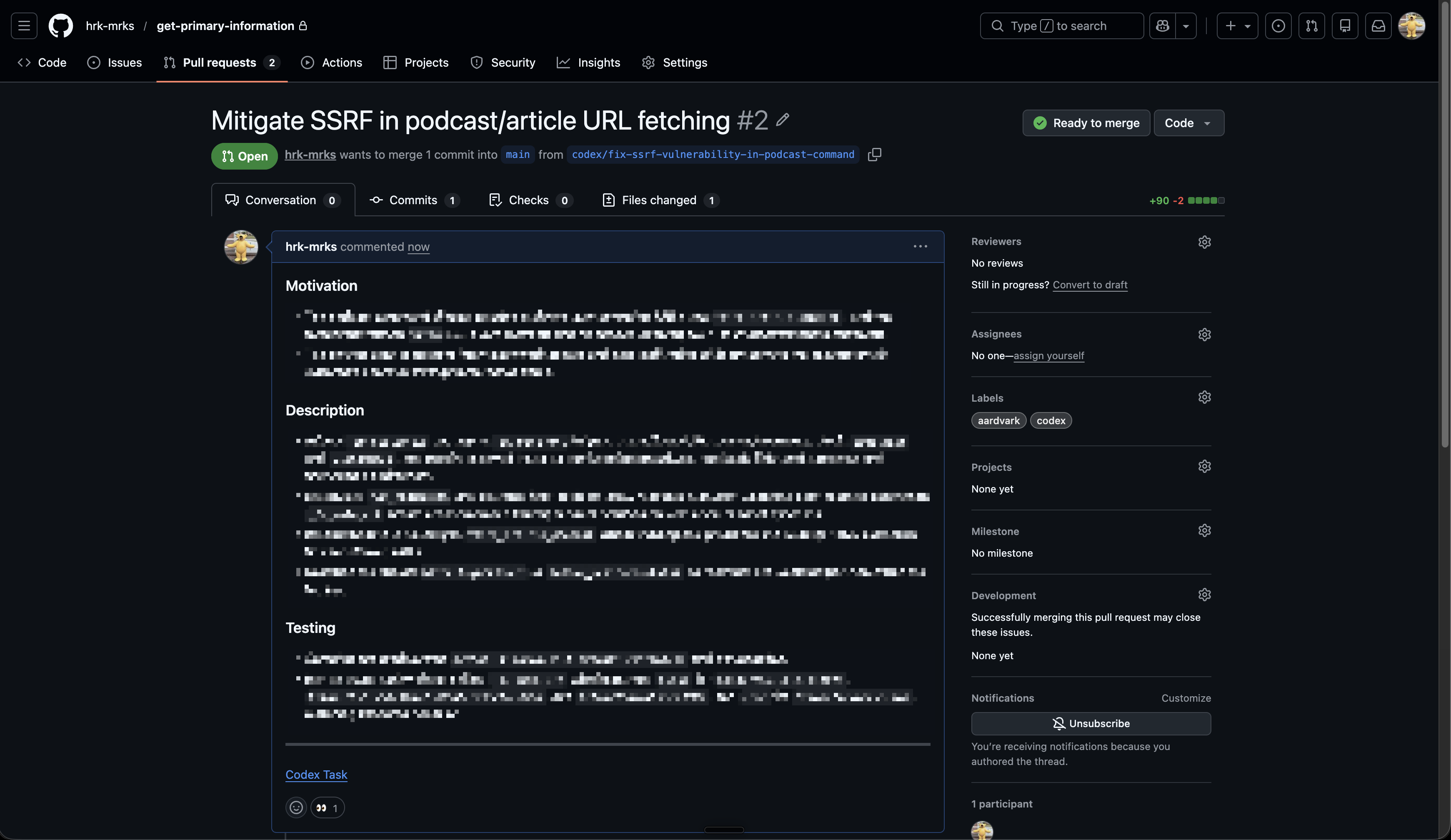
The most impressive part for me was that the findings could naturally be turned into a reviewable fix PR.
Each finding page includes the issue description, validation details, and the proposed remediation, and from there you can move directly to PR creation. It does not stop at detection. It smoothly carries you into the next step of actually fixing the issue.
What I especially liked was how straightforward the UI/UX flow felt. You review the scan results, open a finding that matters, inspect the details, and move directly to a fix PR. It does not feel like you need to switch context across multiple tools or hand things off awkwardly in the middle.
As AI coding speeds up development, it becomes just as important to insert security checks naturally into the workflow. In that sense, Codex Security felt less like a standalone new feature and more like a well-designed way to embed security checks into AI-driven development.
5. Conclusion
After trying OpenAI's Codex Security myself, I came away with a very positive impression overall.
Finding vulnerabilities is obviously valuable on its own, but what impressed me most was how naturally the flow connected from reviewing the finding to creating a fix PR. As AI development gets faster, the value of a workflow that makes it easy to insert security checks in the middle will likely keep increasing.
It is still a newly released research preview, but if you are someone who likes to keep up with new AI features, or you build AI applications yourself, I think it is well worth trying.