Introduction
When you start using tools like Codex or Claude Code, you quickly notice that the results are not equally good every time, even when you feel like you asked for the same thing.
You may also have noticed that two AI agents built for similar purposes can feel very different depending on the product or environment.
Those differences cannot be explained by model quality alone. An AI agent is not just a smart model producing a single response. It works through a combination of model, harness, context, and tools.
In this article, I will explain how AI agents work for practitioners who have started using tools like ChatGPT, Codex, or Claude Code, using the execution flow as the organizing frame.
What This Article Covers
- How this article defines an AI agent
- How an AI agent works and what supports that behavior
- Why similar prompts can lead to different outcomes, and where to look when an agent is not working well
1. What Is an AI Agent?
In this article, I use the following definition:
An AI agent is a system in which an LLM takes a goal, refers to context, uses tools when needed, and moves through a multi-step task. In practice, its behavior is shaped not just by the model itself, but by the overall design including harness, context, and tools.
The point is that an AI agent is not just a chat interface that answers one question and stops. It reads intermediate information, uses tools when necessary, looks at the result, and decides what to do next as it continues the work.
That is why the experience and outcome can vary so much depending not only on the model, but also on how the work is structured, what background information is available, and what actions the system is allowed to take.
2. How Does an AI Agent Work?
If we set aside implementation details for a moment, the behavior of an AI agent is fairly simple to understand.
First, it receives a request or goal from the user. Next, it refers to the information needed to do the work, such as prior context, local files, or previous interaction history. Then, if needed, it uses tools for actions like file operations, command execution, search, or browser interaction. After that, it looks at the result, decides what to do next, and repeats the cycle if necessary.
In other words, an AI agent typically works like this: receive a request -> read context -> use tools when needed -> inspect the result and decide the next step -> repeat if necessary.
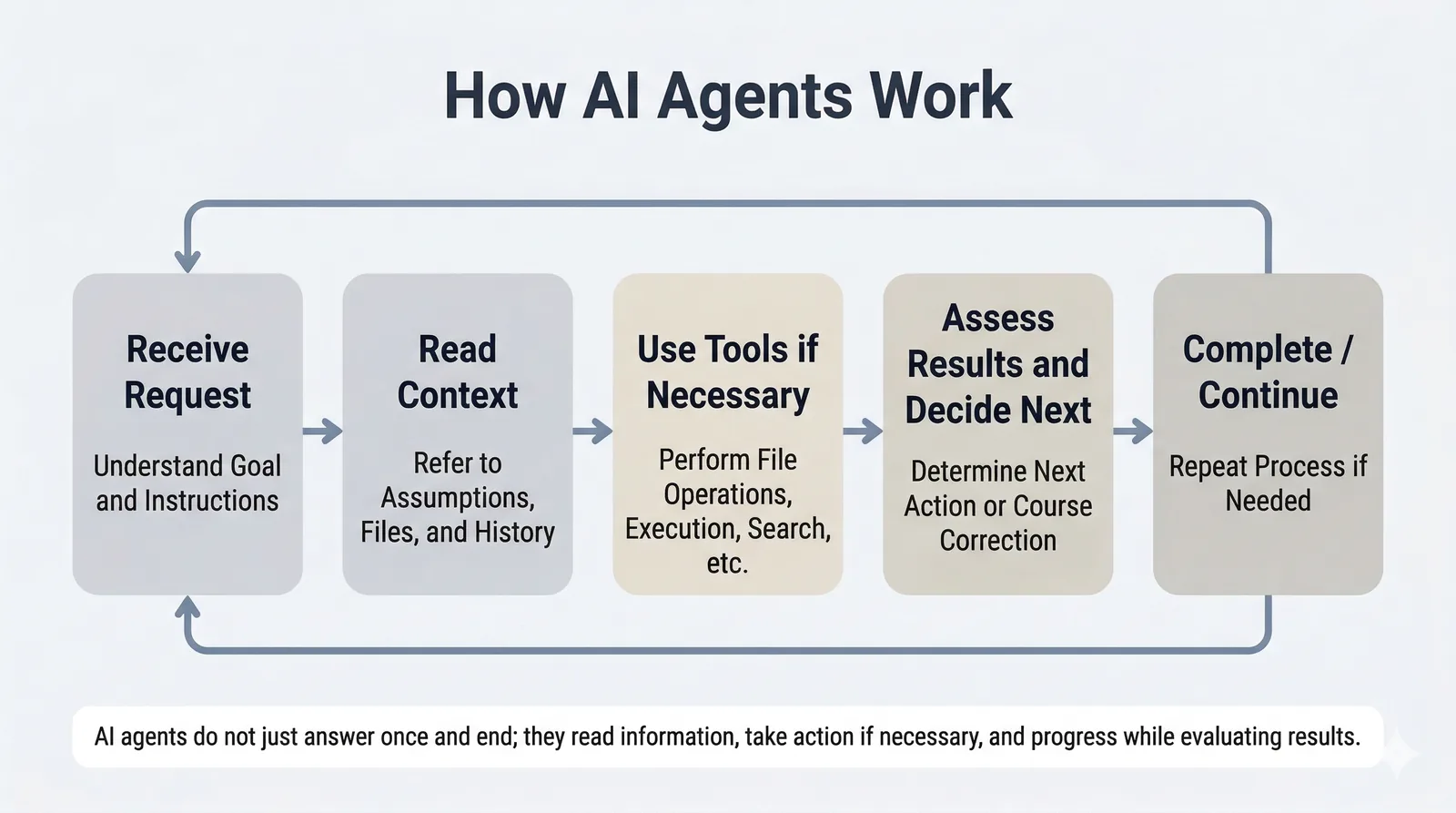
Once you have this overall picture, it becomes easier to see an AI agent not as something vaguely intelligent, but as a system made up of several moving parts working together.
3. The Four Elements That Support This Flow
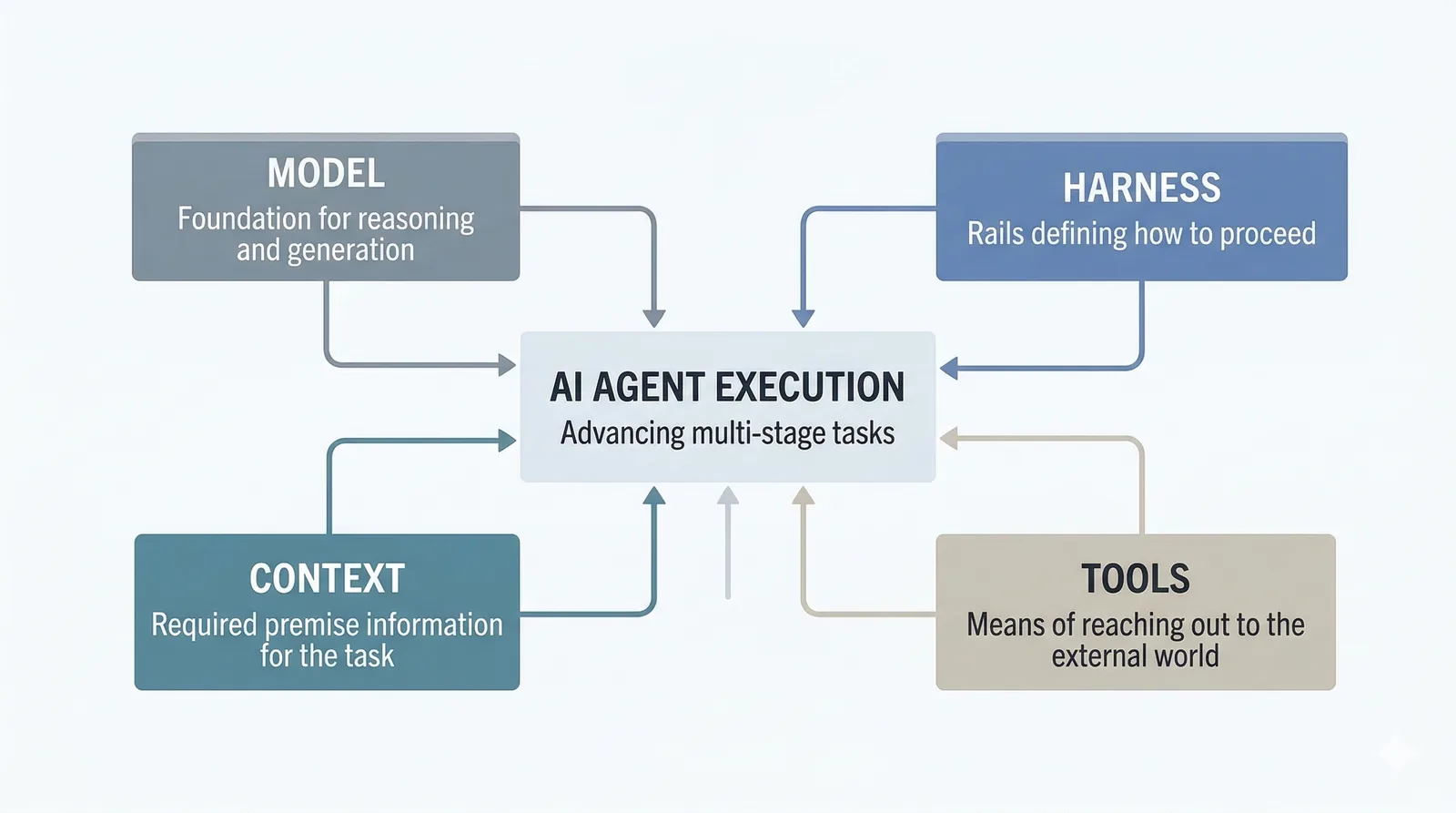
The flow above is supported by four elements: model, harness, context, and tools.
Seen as a diagram, the execution of the agent sits at the center, while those four elements support it from around the edges. The key point is that the model is not the only thing that matters. Harness, context, and tools also strongly shape how the agent behaves.
3-1. Model
The model is the foundation for reasoning and generation. Different models vary in strengths, weaknesses, response style, and context window size.
For example, models differ in how well they can retain long background information, how stable they are at code generation, or how reliable they are at summarization. So model differences do matter.
But the important point is that the quality of an AI agent is not determined by the model alone. Even with the same model, behavior can vary significantly depending on the design around it.
3-2. Harness
A harness is the rail that helps the AI work without losing its way. It defines the outer structure of the work: what information to read, how to proceed, what to verify along the way, and what counts as done.
For short interactions, a single instruction may be enough. But for multi-step work such as design, implementation, verification, and revision, that is often not stable enough. If the process is vague, if checkpoints are unclear, or if the order of work is not defined, the agent is much more likely to drift.
That is why harness is not just about what you tell the AI. It is about the path the AI is working on. In practice, this layer often has a large effect on the stability of the result.
I explain harness in more detail in a separate article.
What Is Harness Engineering?
3-3. Context
Context is the background information the AI is referring to at a given moment. It includes the goal, background, constraints, intermediate outputs, local files, and conversation history.
An AI can only reason from the information it has. If important background information is missing, the output may still look plausible as text, but it is more likely to miss the mark as actual work.
In implementation work, for example, the result can drift if the intended goal, assumptions in the existing codebase, or the definition of done are unclear. In that case, the issue is often not raw capability, but missing work context.
Context is the foundation that shapes how the AI understands the task. When an agent is not working well, it is often more useful to first ask whether the necessary background information was provided than to keep polishing the wording of the prompt.
I explain this idea in more detail with examples in a separate article.
How to Give AI the Background Information It Needs for Work
3-4. Tools
Tools are the means by which the AI reaches outside the conversation. That can include reading files, executing commands, searching the web, or interacting with a browser.
This tool layer is what allows an AI agent to move beyond conversation and into actual work. Put differently, the set of tools available to the agent strongly shapes the range of tasks it can perform.
One useful distinction here is that MCP and SKILLS do not play exactly the same role. MCP is one way to connect external tools to the agent. SKILLS, by contrast, are easier to understand as a way to reuse working knowledge or task patterns, rather than as an external connection mechanism itself.
I will not go deep into those details here, but the structure of the tool layer, and how it is connected, has a major effect on the user experience of an AI agent.
4. Why Do Similar Requests Produce Different Results?
With those four elements in mind, the initial sense of inconsistency becomes easier to explain. Differences often do not come from only one layer.
For example, even with the same model, a different harness changes how the work proceeds. If the system checks intermediate results, follows a different order, or uses a different definition of done, the outcome can change substantially.
Context matters in the same way. If the agent sees a different set of background assumptions or constraints, it will make different decisions even for similar requests. And if the available tools are different, the agent can take different kinds of actions.
So the gap in experience is not only about whether the model is smart. Similar-looking requests can lead to different behavior and results because the combination of model, harness, context, and tools is different.
5. Where Should You Look When an Agent Is Not Working Well?
When an AI agent is not working well, it is tempting to blame the model immediately. But in practice, the cause often lies elsewhere. The goal here is not to give a detailed troubleshooting guide, but to offer a first way to frame the problem.
If the model simply lacks the needed capability or context length, then the limitation may be at the model layer. If the process is unclear, the issue may be harness. If the background assumptions or constraints are missing, the issue may be context. And if the needed actions are unavailable, the issue may be tools.
In reality, multiple factors often overlap. Still, simply separating the problem by layer makes it much easier to decide what to revisit next.
Conclusion
AI agents are not magical systems that somehow understand and do everything on their own. They are systems built from multiple elements, including model, harness, context, and tools.
Once you have that picture in mind, it becomes much easier to understand why similar requests can lead to different outcomes and where to look when an agent is not behaving as expected. Instead of looking only at the model, it helps to separate the question into the rail the agent is working on, the background information it has, and the actions it is allowed to take.
If you want to go deeper into individual parts of this picture, the following articles may also be useful: