0. Introduction
I promote AI adoption at a major SIer, while also developing AI products on my own.
In this article, I’m going to pull together everything I know and summarize:
- AI “today”
- How AI “works”
- How to “learn and use” AI
- AI “tomorrow”
1. AI “Today”
The current trend is “general-purpose agents”
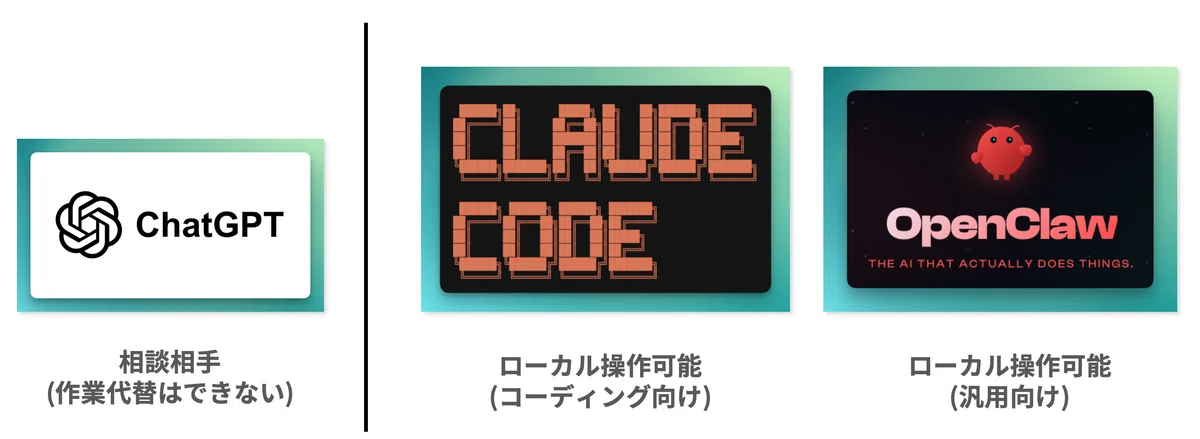
Traditionally, chat-based services like ChatGPT were primarily “someone to consult.”
They couldn’t replace the work itself—for example, operating local files.
But a while ago, the trend began shifting toward “coding agents” that can actually operate locally—agents with real “hands and feet.”
And more recently, it has shifted further toward “general-purpose agents” that can handle everyday tasks as well.
From “vibe coding” to “vibe working”
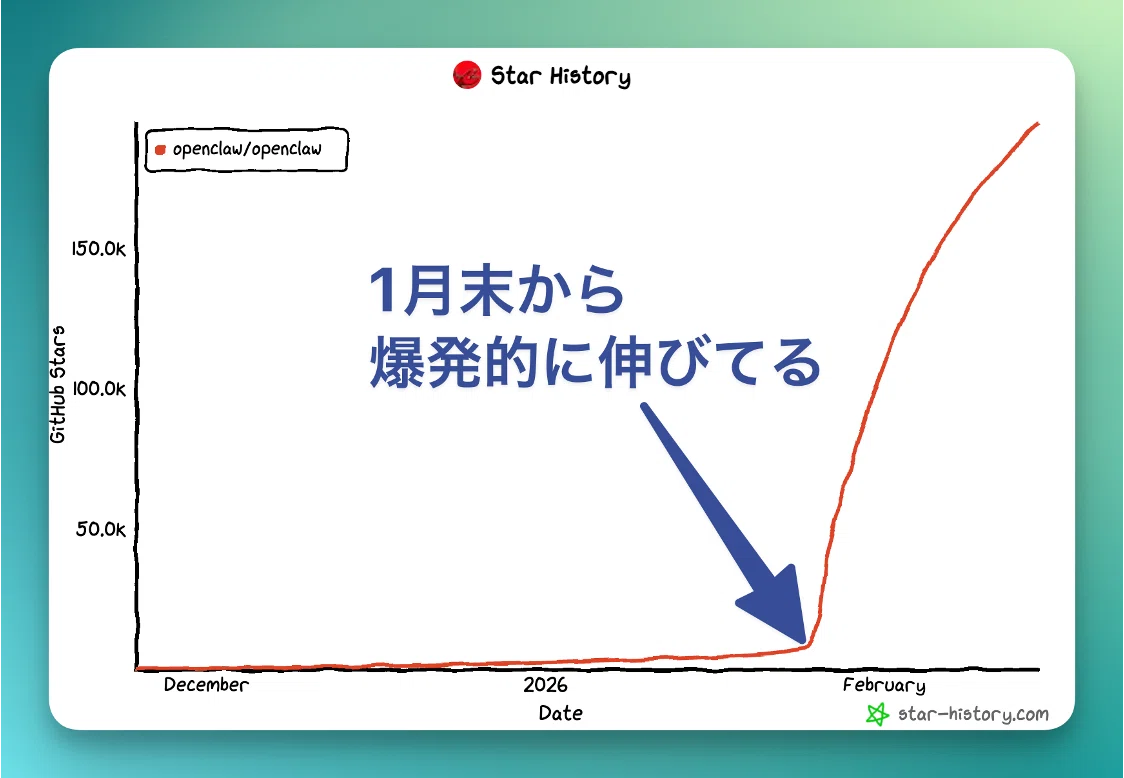
The chart above shows the growth in stars for a general-purpose agent product called OpenClaw.
Its stars have skyrocketed since late January, and it really feels like we’re shifting from vibe coding to vibe working.
My examples: Everyday work
I’m also a heavy daily user of Claude Code.
Here, I’ll share examples of “vibe working” tasks I had been using almost unconsciously, even before general-purpose agents became mainstream.
(1) Entering work hours (time tracking)
I automatically operate the browser and enter my working hours into our internal time-tracking system.
I used to spend about 5 minutes every day on this.
Even 5 minutes a day becomes 100 minutes over 20 working days—and 1,200 minutes a year.
For an individual, that may feel small, but in a large organization, those savings multiply into a significant reduction in total labor time.
(2) Creating meeting minutes
I use AI to create minutes for many situations—internal study sessions, customer meetings, and more.
Tools like Teams can generate minutes too, but I felt the accuracy wasn’t good enough, so I built my own.
The main reason accuracy is poor is that domain terminology and project context aren’t being provided.
By supplying correct domain knowledge and adding outside-the-meeting information via web search, I can now generate rich minutes in just a few minutes—good enough to submit to customers as-is.
My examples: Coding
Claude Code is originally designed for coding, so I’ll also share a coding-related example.
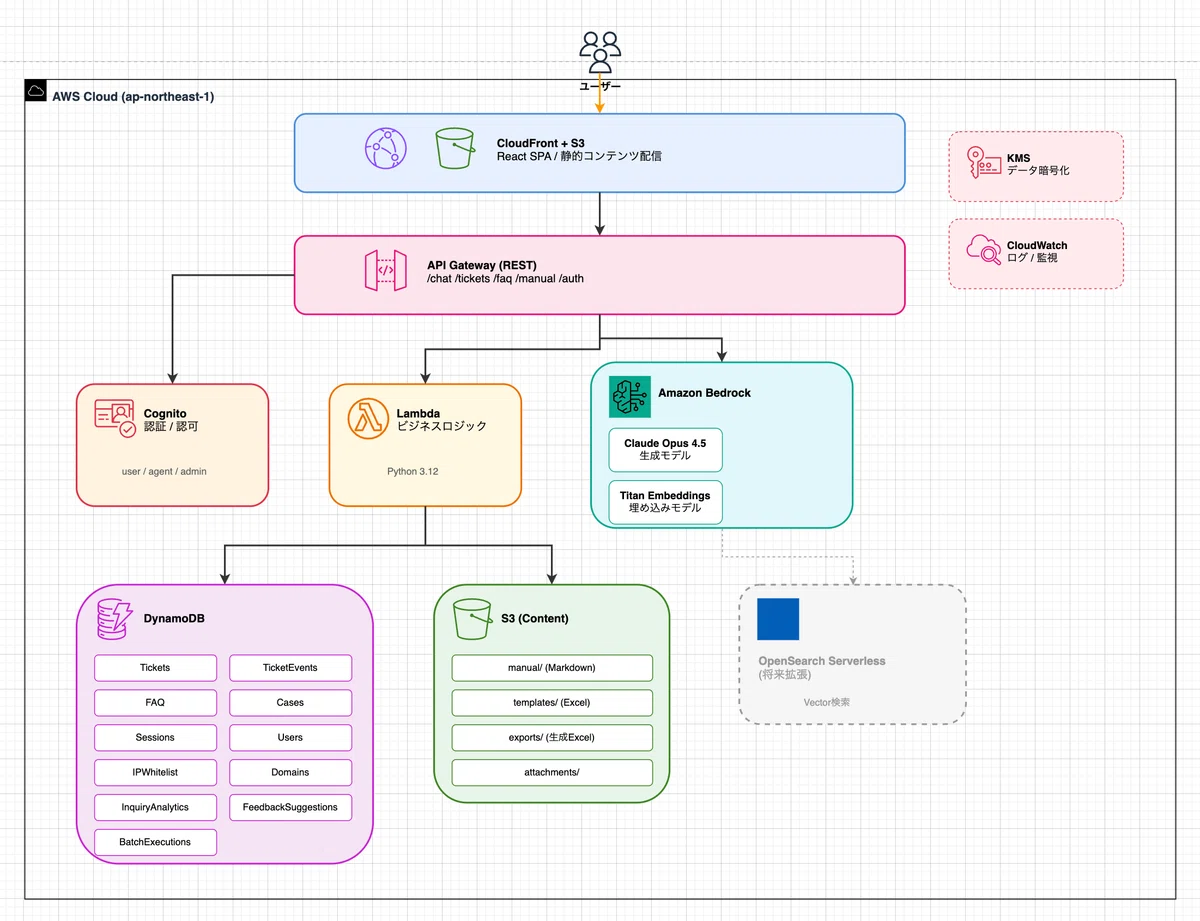
I built a system that aggregates scattered internal documents into S3, turns them into a RAG knowledge base, and answers questions via chat.
- Infrastructure provisioning with CloudFormation
- User management with Cognito
- Using multiple services such as DynamoDB, S3, Bedrock, Lambda, and more
I built all of this in about 1–2 person-days without touching the AWS Management Console at all.
Side note: Parallel execution makes the PC “choppy”
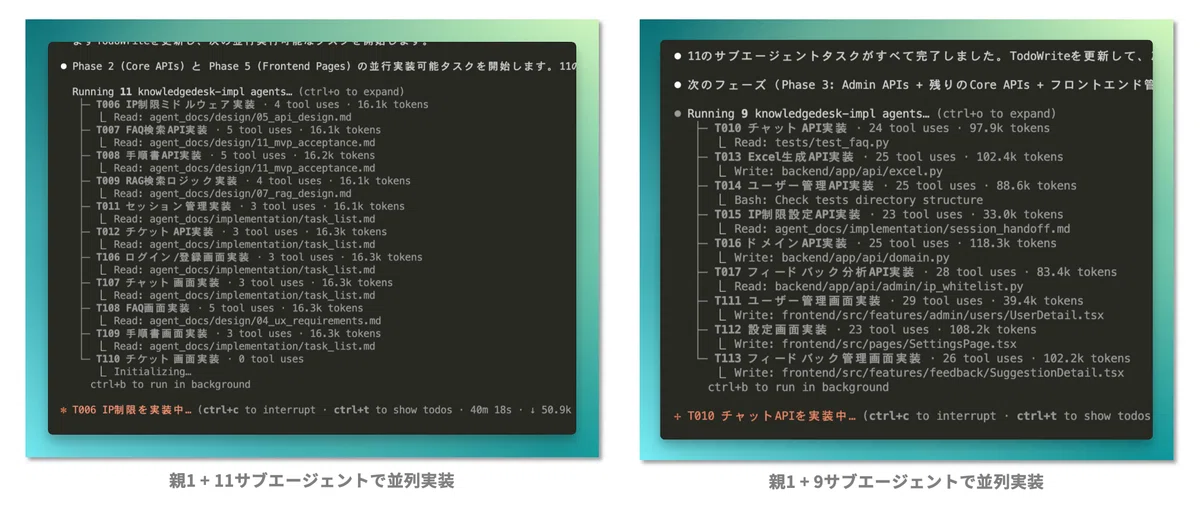
In my usual development workflow, I create a solid implementation plan in advance and then implement in parallel all at once.
During parallel development, it’s essentially like around 10 people are operating a single PC at the same time—so on a low-spec machine, it can get so heavy that you can’t do anything else.
I’m currently envisioning a hybrid mechanism where the “parent” runs locally and sub-agents run in the cloud.
2. How AI “Works”
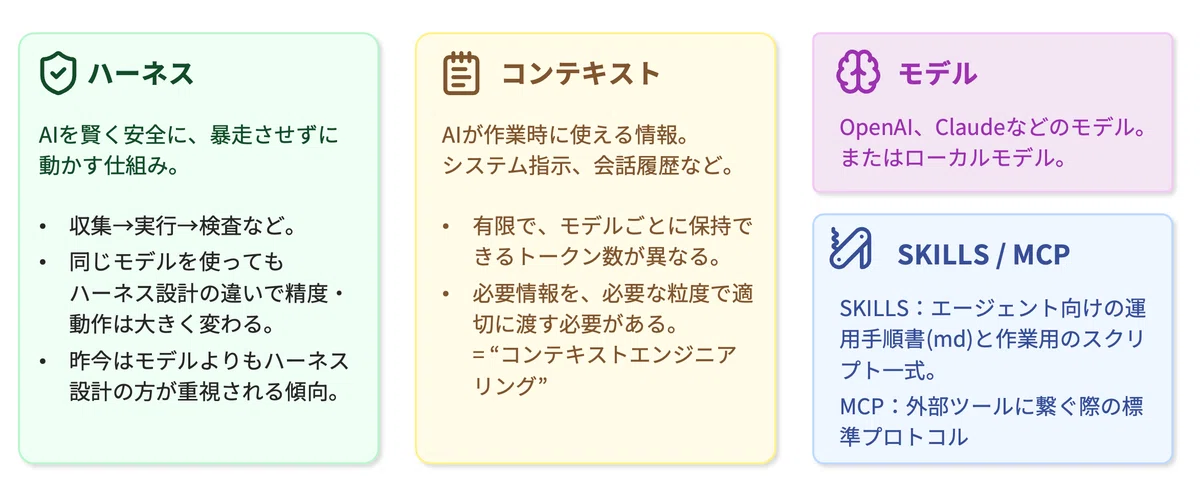
From here, I’ll summarize the components that make AI agents work.
(1) Harness
A “harness” is a mechanism that makes AI run intelligently and safely—without going out of control for long periods.
There are two layers: the harness built into the tool itself, and the harness designed by the user.
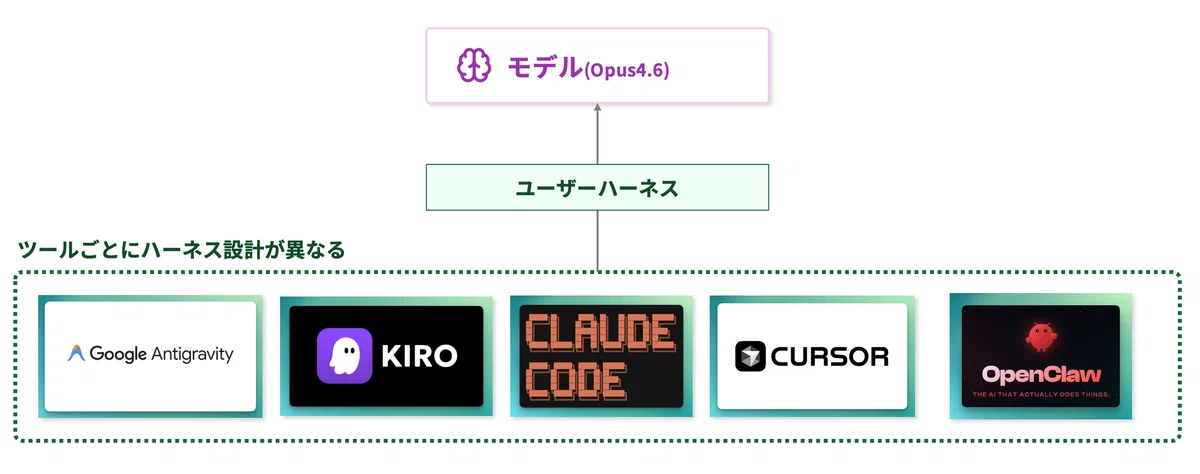
The key point is:
“Even with the same model, behavior can differ dramatically depending on harness design.”
That’s why these days, it feels like harness design is becoming more important than the model itself.
Claude Code | agentic loop
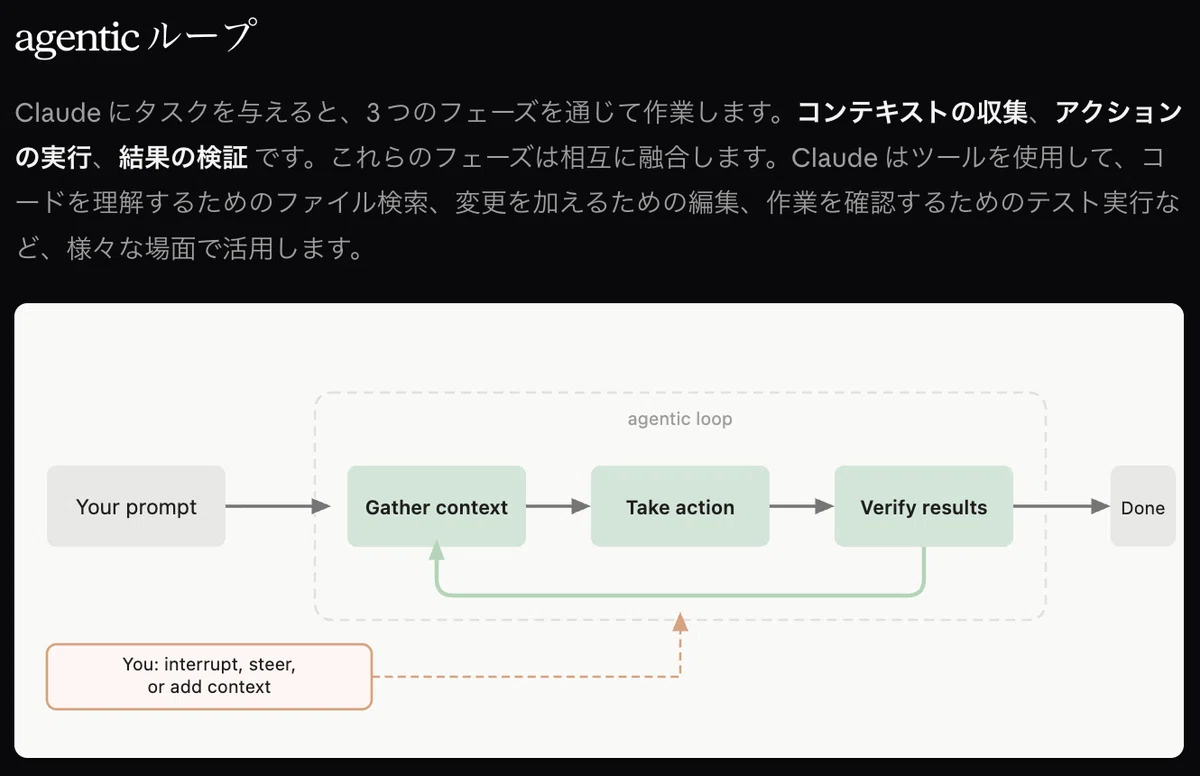
In Claude Code, an “agentic loop” is designed as the harness. In response to user input, it behaves like this:
- Gather context
- Take action
- Verify results
- Loop as needed
(2) Context
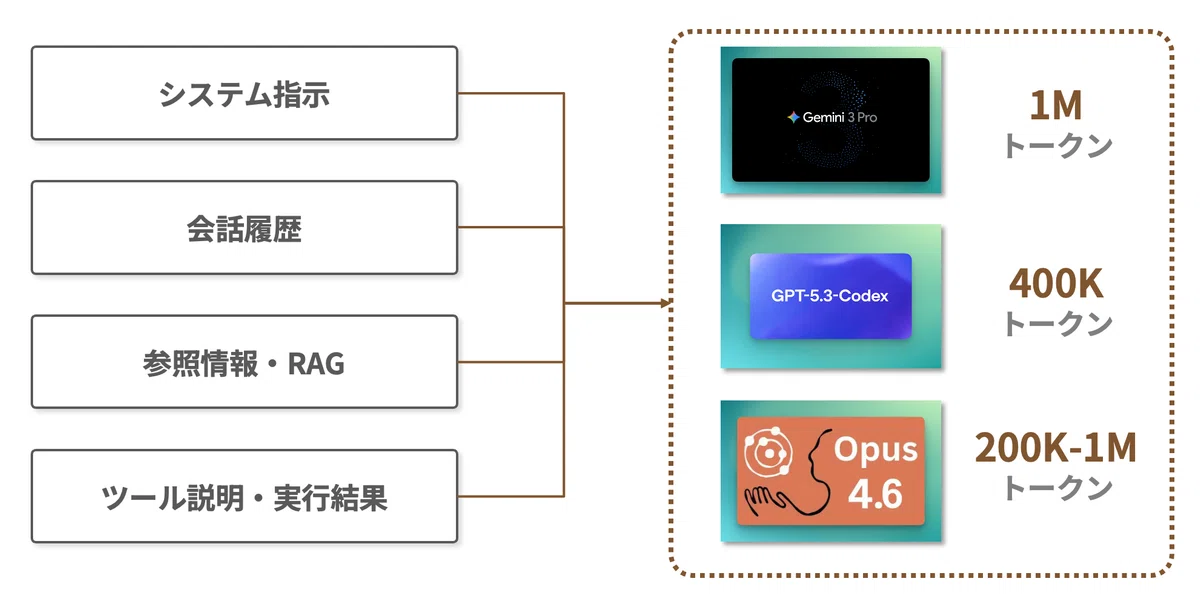
“Context” is the information an AI can reference while working.
Because it’s finite, you need to provide the necessary information at the right level of detail and manage it appropriately. (Context engineering)
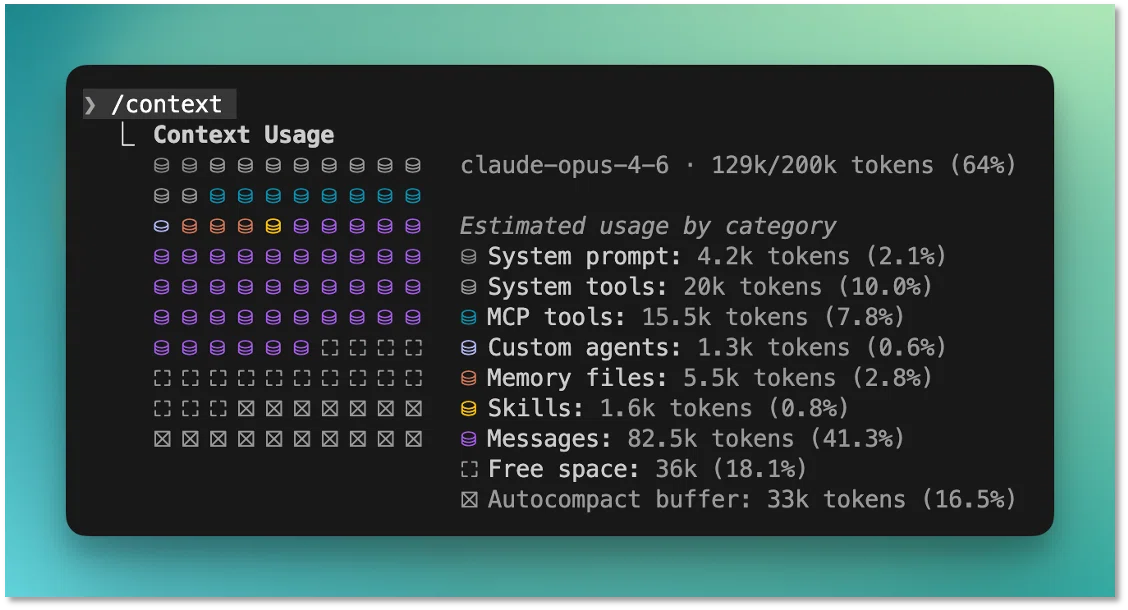
The image above shows the context display in Claude Code.
You can see that it retains things like the system prompt (including harness instructions), the messages you gave as instructions, and MCP information.
(3) SKILLS / MCP
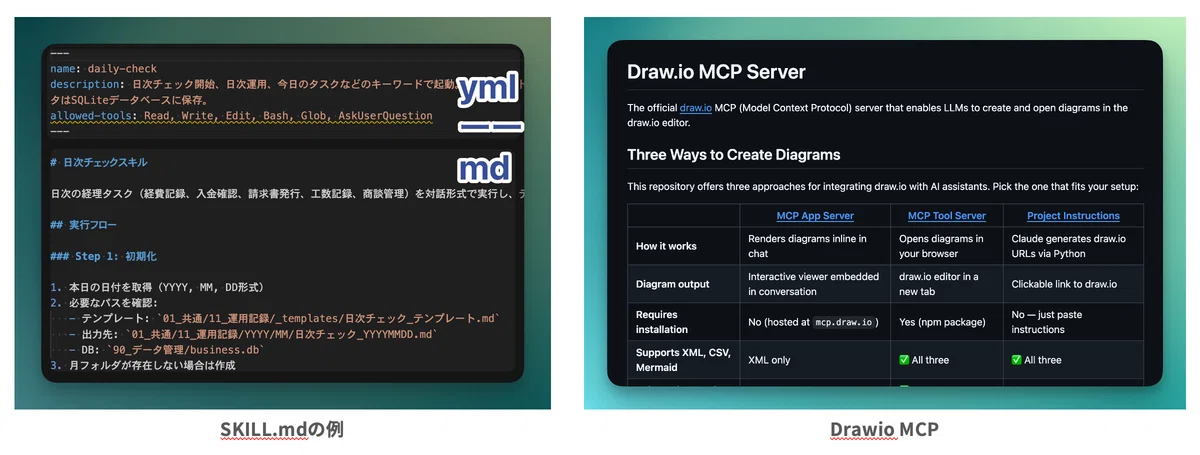
SKILLS are a mechanism for producing “the same quality every time.”
MCP is a standard protocol that allows agents to connect to external tools.
Side note: MCP can consume context
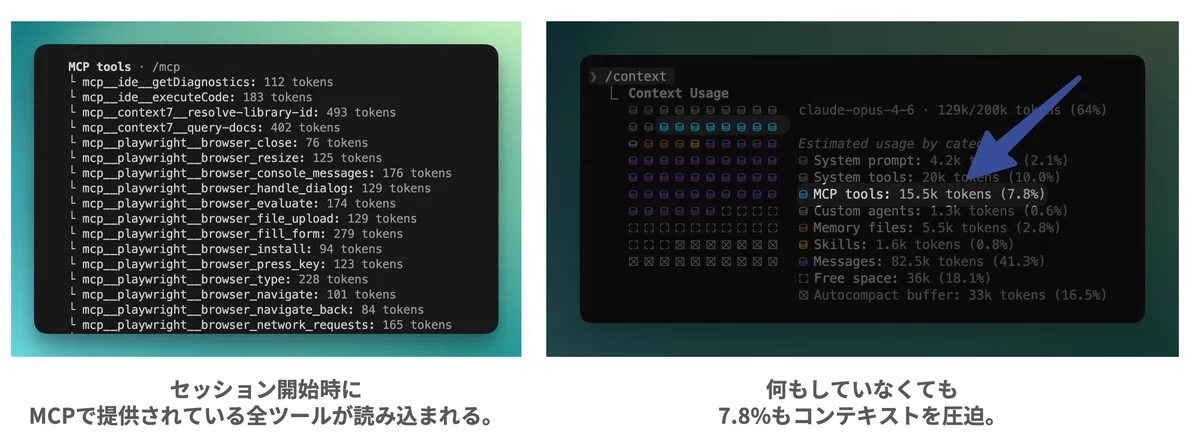
When MCP starts for the first time, it fetches information about all tools provided by the MCP server.
So if you connect many MCP servers, they tend to consume a lot of context.
On the other hand, SKILLS use “progressive referencing”:
at first, they only read the YAML portion, and then reference the Markdown portion at execution time.
I think this is one reason SKILLS have recently become popular.
For MCP, it’s not something you should connect blindly—you need to think about it together with context management, such as building your own MCP that includes only the tools you truly need.
3. How to “Learn and Use” AI
From here, I’ll summarize how I personally learn and use AI in practice.
(1) Just use it — “1 billion tokens” as a benchmark
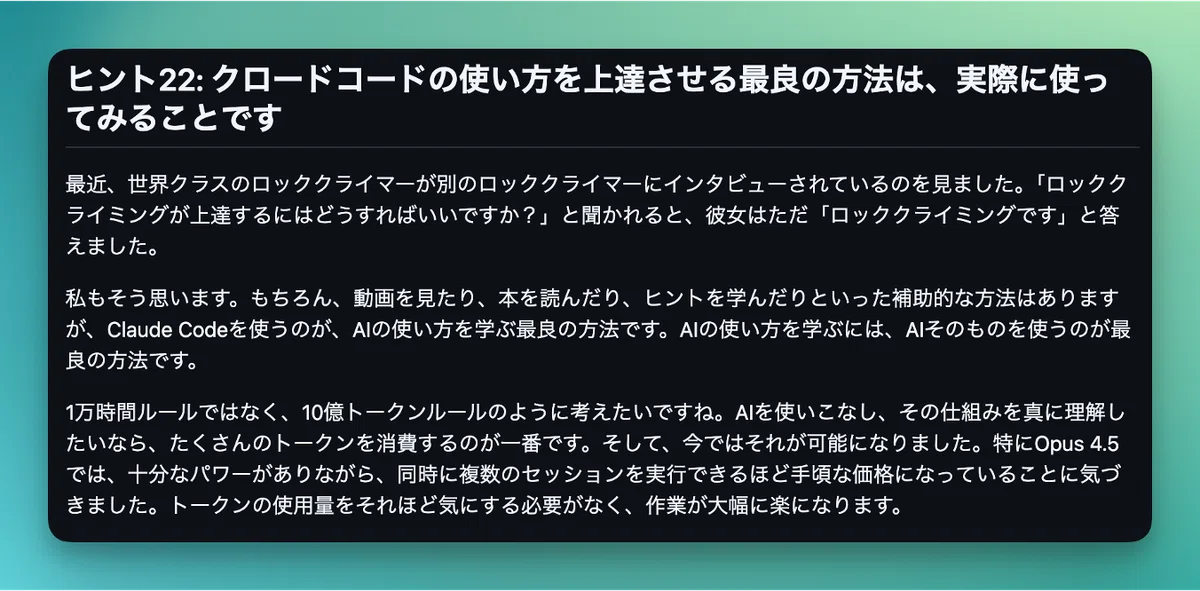
This comes from Claude Code tips that went viral on X a while ago—and it’s something I practice myself.
Recently, I watched a world-class rock climber being interviewed by another rock climber.
When asked, “How do I get better at rock climbing?”, she simply answered: “Rock climbing.”
~ excerpt ~
Rather than the 10,000-hour rule, I want to think in terms of a “1 billion token rule.”
If you want to truly master AI and deeply understand how it works, the best thing is simply to spend a lot of tokens.
https://github.com/ykdojo/claude-code-tips
(2) Use it for everything in daily life
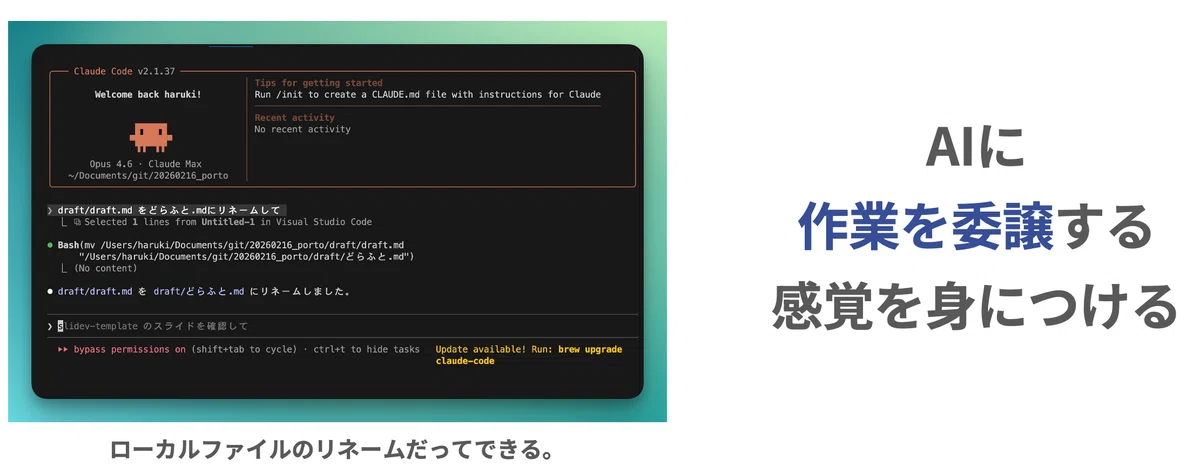
File operations, renaming—even things that would be faster if I did them myself, I still instruct AI to do.
I think it’s important to develop the feeling of “delegating work to AI” through these habits.
(3) Tips for “prompts”
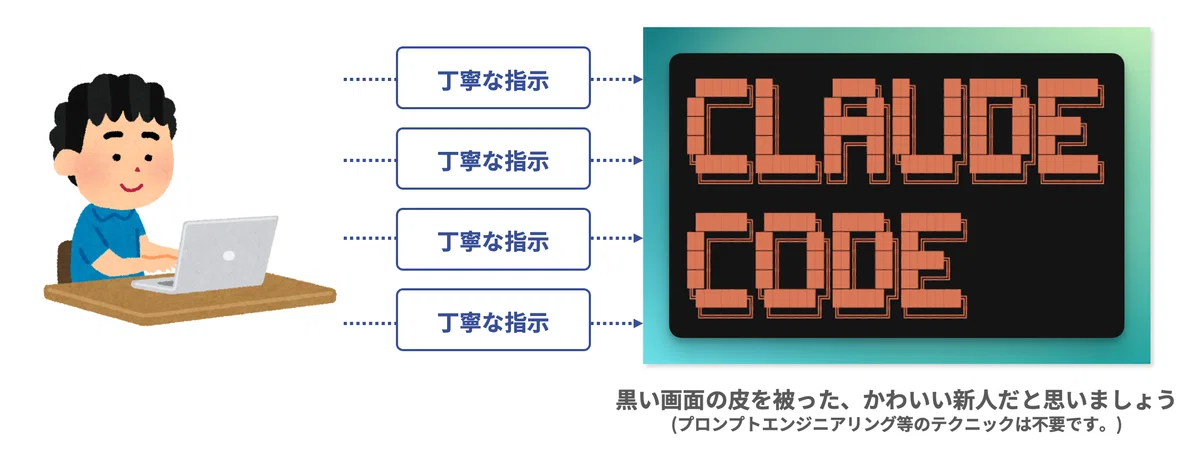
The key to giving instructions to AI is:
“Give careful instructions as if you were instructing a new hire who knows nothing.”
(The difference is that the output comes insanely fast.)
Giving dozens of careful instructions every day is exhausting, but I’m treating it as training and pushing through.
I explain this in more detail in another article.
Related article: AI is “extremely capable but knows nothing” — the one thing I always keep in mind when giving instructions
(4) A tip for thinking about “what information to provide”
A good way to think about what information is needed for a task is to ask yourself:
“If I were asked to do this request with a completely blank slate, could I produce the expected output?”
For better or worse, if you tell AI “5,” it only understands “5.”
But AI is highly capable—so if the input is solid, it can produce high-quality output.
In other words, poor output is almost synonymous with poor input.
That said, there’s a context limit, so you can’t just provide everything.
Ask yourself the question above, and focus on providing only the truly necessary information at the right level of detail.
(5) Side note: Tips for “applying AI to business operations”
So far, I’ve focused on what I keep in mind when using AI in everyday life.
But many of you are probably also considering applying AI to real business operations.
I’ve summarized tips for applying AI to business work in another article, so if you’re interested, please take a look.
Related article: How to approach AI-driven business process improvement: design “use vs. don’t use” with deterministic vs. non-deterministic thinking
4. AI “Tomorrow”
AI becomes the interface — and everything is operated through AI
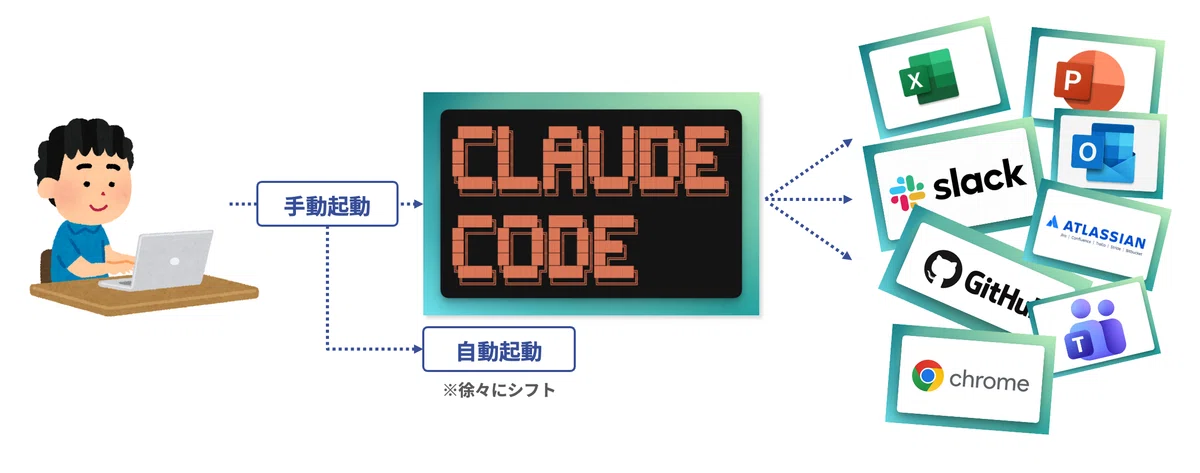
Over the next six months to two years, I believe front-end UI will be unified into AI, and we’ll enter an era where we operate everything through AI.
And just like Excel or PowerPoint, everyone will use AI as something completely normal.
Also, while many agents are manually launched today, I think we’ll gradually shift toward automatic launching.
Voice input is huge
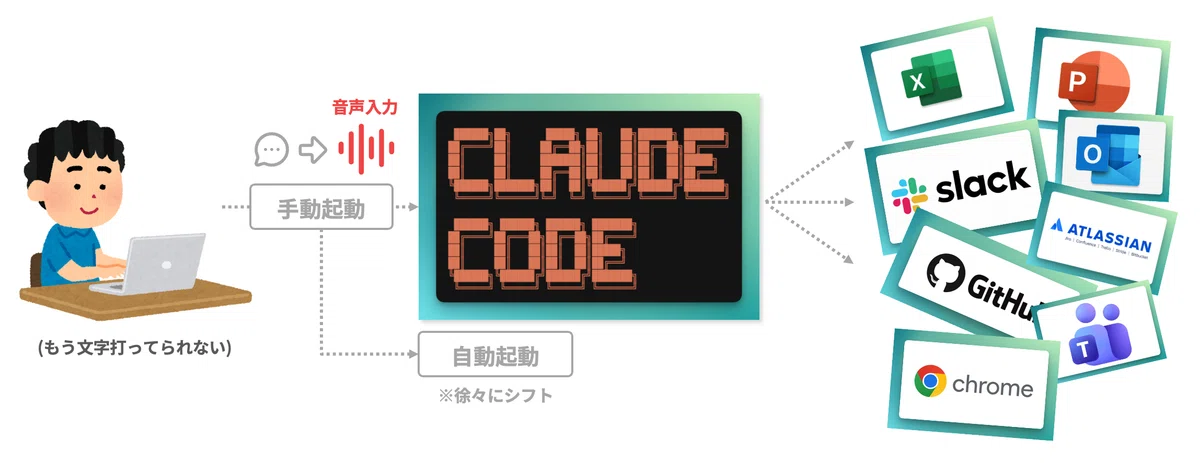
Don’t you feel it’s sometimes easier to communicate by having a meeting rather than chatting?
It’s the same for AI—speaking can convey information faster and more accurately.
Personally, I use voice for communicating information, and text for detailed work.
5. Final thoughts
What matters after AI “replaces tasks”
(This is just my personal view, so it’s not necessarily the “correct” answer.)
After many tasks get replaced by AI, I believe what matters is the ability to think deeply about:
“What will I do?” and “Why will I do it?”
Both at work and in private life, there are countless problems around us.
Maybe what becomes important is paying attention to everyday life, identifying problems, and having the motivation to solve them ourselves.
If your purpose is clear, AI can think through the means.
But if we let AI think through the purpose as well, I feel human value will truly start to disappear.
I enjoy thinking about what would help everyone, and what would help society.
And the most fun is not doing it alone, but discussing it with the people around me.
To create more time for those moments, let’s all master AI together!
Related article: How to Use AI Without Losing Yourself: the boundary between what to delegate and what not to delegate